
Infrastructure
One version file for every container: moving our deploys to a private registry
Our deploys used to depend on images built on the server and tagged latest. We moved every app to versioned images in a private registry, with one file that pins what runs. Here is the pipeline order that makes it safe, and a release-tag bug we hit along the way.
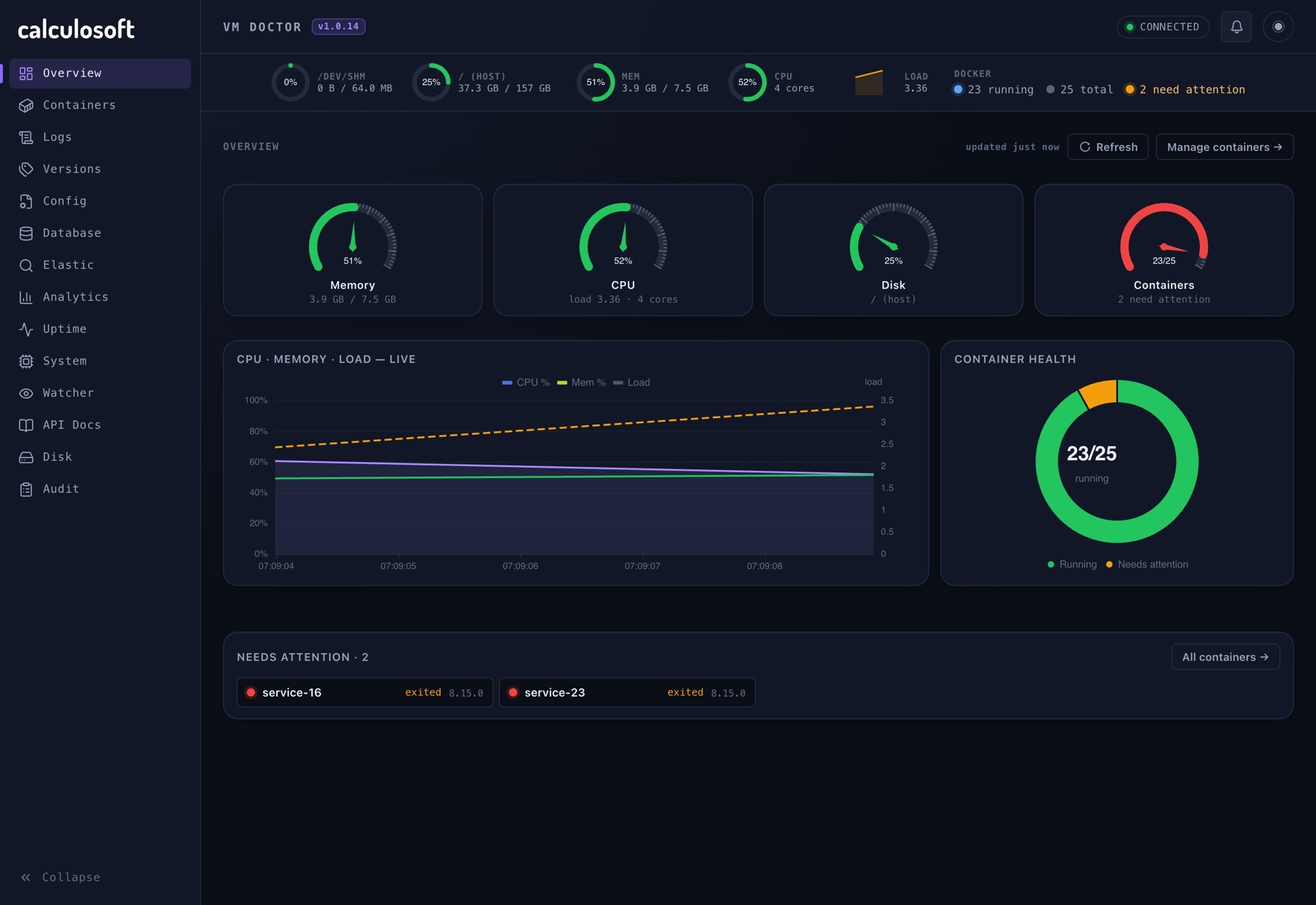
For a long time, our deployment model was the simplest one that works. Jenkins built a Docker image on the production server, tagged it latest, and restarted the container. Rolling back meant rebuilding an older commit and hoping the build was still reproducible. Answering "what version is running right now?" meant reading container metadata, if anyone remembered to.
That model stops working once you have a dozen services. In October we moved every first-party app to versioned images in a private registry, with a single file that says exactly which version of each component runs on the server. This post describes the rules we settled on and why each one exists.
Rule 1: no latest, anywhere
latest is not a version. It is a pointer that moves whenever someone pushes, so it answers neither "what is running?" nor "what was running yesterday?". It also makes rollbacks guesswork, and it lets two servers that both run latest silently run different code.
Every image is now tagged with its release version only, for example 0.3.4. Not latest, not a branch name, not a CI build number. Every released version stays in the registry, so any of them can be deployed again in seconds.
The registry repositories are private. The CI server pushes with a read-write token, and the production server pulls with a separate read-only token. If the server is ever compromised, its credentials cannot overwrite an image.
Rule 2: one file pins every version
Before the migration, versions were scattered: some in compose files, some in per-stack .env files, some implied by latest. The stacks' .env files had become symlinks to a shared file, and that broke in a subtle way. Several pipelines updated the version with sed -i, and sed -i does not edit a file in place. It writes a new file and renames it over the old one. Run against a symlink, it replaced the link with a regular file, and from that moment the copies drifted apart.
Now there is exactly one version file on the server, a simple list of KEY=value lines:
API_TAG=1.4.2
WEB_TAG=1.0.5
WORKER_TAG=0.9.0
Every compose file refers to those variables:
services:
  web:
    image: registry.example.com/org/web:${WEB_TAG}
And Docker Compose is told where to read them through an environment variable, set for the CI container and for every shell on the server:
export COMPOSE_ENV_FILES=/srv/conf/dependencies.properties
COMPOSE_ENV_FILES lets Compose load variables from a file outside the project directory. There are no .env files next to the compose files at all, so there is nothing to drift.
Notice the image line uses ${WEB_TAG}, not ${WEB_TAG:-1.0.0}. A default would silently deploy an old version if the pin went missing. Without one, Compose warns loudly about an unset variable, which is what we want. (It also keeps the line readable for our ops dashboard, which parses compose files and only understands the bare form.)
Rule 3: the pipeline order is the safety mechanism
The order of steps in the pipeline is what makes all of this safe:
- Build the image.
- Push it to the registry under the new version tag.
- Release: bump the version in the repository, commit, tag and push.
- Pin: write
APP_TAG=X.Y.Zinto the version file, and assert that the line is really there. - Pull the image on the server with
docker compose pull. - Up: recreate the container with
docker compose up -d.
Each step depends on the one before it having succeeded:
- The release commit and git tag are only created after the image exists in the registry. A version number in git always has an image behind it.
- The pin is only written after the push. The version file never points at an image that does not exist. That matters because anyone restarting that stack later, by hand or from the dashboard, will pull whatever the file says.
- The pull happens before
up, so a failed pull leaves the old container running.
Rollback is the same mechanism in reverse: set the old version in the file, docker compose pull, docker compose up -d. No rebuild.
Rule 4: edit the version file in place, one line at a time
Pipelines write to the version file while people may also be editing it. Copying a whole file over it from a laptop would revert every pin the pipelines wrote since that copy was made. So the rule is to change single lines on the server:
sed -i "s/^WEB_TAG=.*/WEB_TAG=1.0.5/" /srv/conf/dependencies.properties
Infrastructure components (the database, the proxy, the logging stack) are pinned in the same file but bumped by hand.
A bug we hit: the release tag that already existed
Even with a good order, a pipeline that pushes to two places (the registry and git) can fail halfway between them. That happened to the marketing site's pipeline this week.
A build created and pushed the git tag for its new version, but the release commit that bumps the version number did not reach the main branch. The next build read the old version number from the repository, computed the same "next" version, and tried to create the same tag:
+ git tag v1.0.4
fatal: tag 'v1.0.4' already exists
Every build after that failed at the same step, so nothing could deploy. The fix had two parts. First, the version in the repository was synchronised with the tag and the image that already existed in the registry. Second, the release step became idempotent: it now re-points the tag instead of failing when a previous failed run already created it, and it pushes the branch and the tag as two separate, explicit pushes:
# Retag if a prior failed run already created v$NEW.
git tag -f "v$NEW"
git push origin HEAD:master
git push origin "refs/tags/v$NEW" --force
A pipeline step that can be retried safely is a step that cannot wedge the whole pipeline.
The general lesson is that every step which publishes something should either be safe to run twice, or check whether its work is already done.
What we got
- Every running container has an exact version, visible in one file.
- Rollback takes seconds and needs no rebuild.
- The server never builds images it does not need to, and it can only read from the registry.
- A new app follows the same template: a private repository, a version variable in the file, an image line using it, and a pipeline in the standard order.
None of this is new. Versioned images, a registry and pinned deploys are standard practice. The value was in writing the rules down, applying them to every app at once, and making the pipeline order do the enforcing.
- Docker
- Docker Compose
- Docker Hub
- Jenkins
- CI/CD
- Versioning
- DevOps