
Infrastructure
When next build took down production: building a Next.js + Payload site on a small VM
Our first CI build of a Next.js + Payload CMS site swap-thrashed the same server that runs production. Here is what actually happened, why it was not a clean out-of-memory kill, and the four changes that made the build safe.
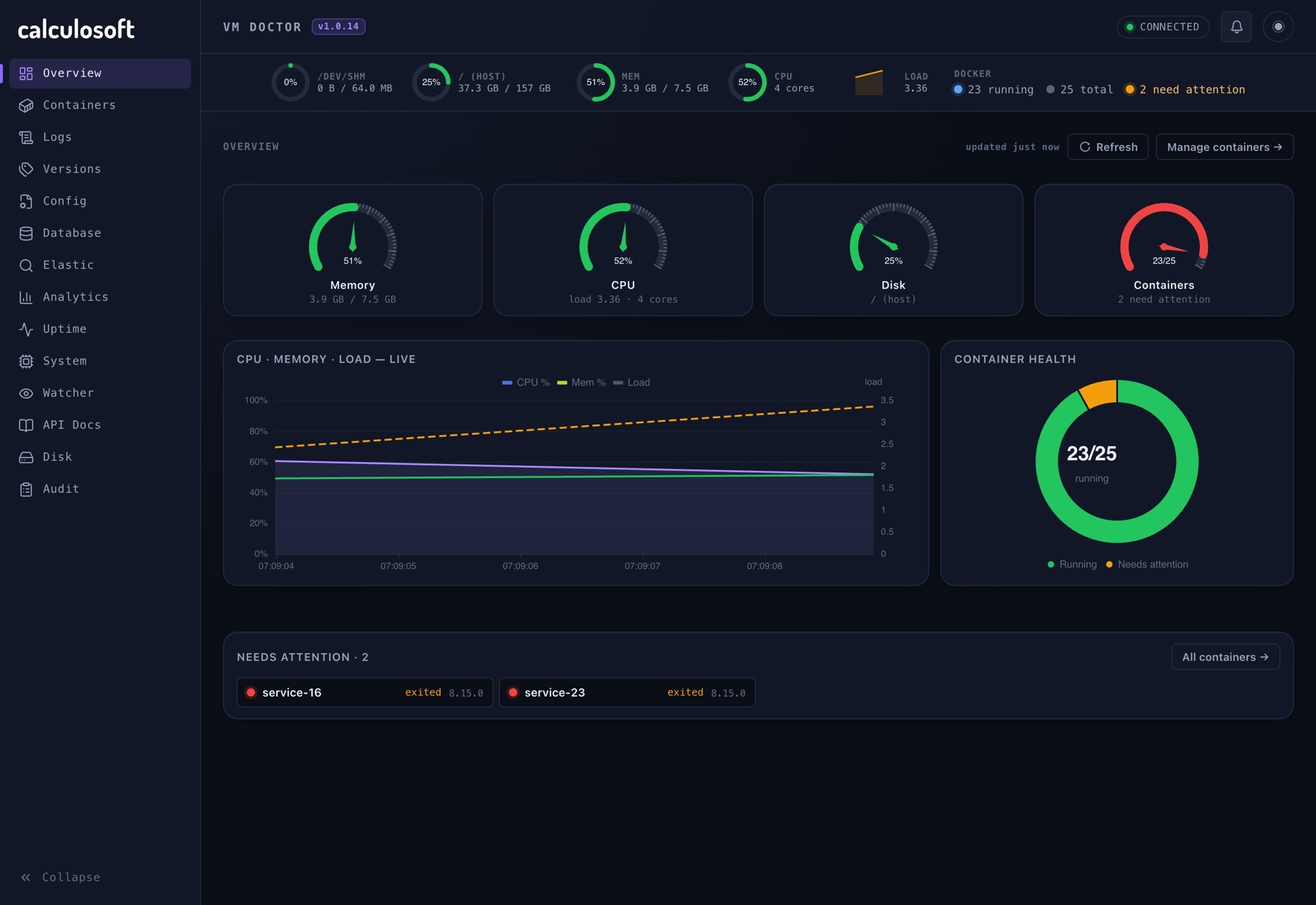
We run most of our products on a single virtual machine with 7.5 GiB of RAM. It hosts the application containers, two databases, object storage, a reverse proxy, Jenkins, and a logging stack. For a long time that was plenty. Then we moved our own marketing site to Next.js with Payload CMS, pointed Jenkins at it, pushed to master, and lost SSH access to production for over an hour.
This post is the honest version of that incident: what we got wrong, why the failure looked like a network problem when it was not, and the four small changes that now let the same machine build the same site without drama.
The setup
The pipeline is deliberately boring. A push to master triggers a Jenkins job. Jenkins talks to the host's Docker daemon, runs a multi-stage docker build, tags the image, pushes it to a registry, and then recreates the container with Docker Compose.
The key detail is the first one: Jenkins builds on the same box that serves production traffic. There is no separate build agent. For our Java and small Node services this had never mattered. A Spring Boot jar or a Vite bundle compiles in a few hundred megabytes.
A Next.js app with Payload is a different animal. Payload brings its admin UI, its database adapter, rich text editors, and a large dependency graph. next build type-checks, bundles server and client code, and then tries to pre-render pages. All of that happens in one Node process with a big heap.
What happened
The first two builds failed in seconds, which was almost a relief:
npm ci can only install packages when your package.json and package-lock.json are in sync
The lockfile had been generated on Node 20 and the image used Node 22. We switched the dependency stage to npm install, the third build started, dependencies installed in about a minute and a half, and next build began.
Before the build started, the machine already had only about 1.8 GiB of memory available, and swap was almost full (around 1.8 of 2.0 GiB). We did not look. During the build:
- load average climbed to between 37 and 42 on a machine with a handful of cores,
- used memory sat at roughly 7.3 of 7.5 GiB,
- SSH sessions would connect, then hang, then reset.
From the outside it looked like a network fault. The SSH handshake sometimes succeeded, which made it tempting to blame firewalls or brute-force protection. It was neither. The machine was spending all of its time moving pages between RAM and swap.
Eventually the only way out was a hard reboot from the hosting provider's console.
Why there was no clean OOM kill
People expect a memory problem on Linux to end with the OOM killer picking a process and the system recovering. That happens when memory runs out quickly. When there is swap and the pressure builds gradually, the kernel keeps trying to make progress by swapping. Every process, including sshd, gets slower and slower. Nothing is technically out of memory, so nothing is killed. The box is alive but useless.
That is the worst failure mode for a single shared server: it does not crash, so nothing restarts it.
Root causes
When we wrote the incident up, three causes stood out, and only one of them was about Next.js:
- The build ran on the production box. The CI job and the live services were competing for the same 7.5 GiB.
- Nobody checked headroom before the first heavy build. An earlier design note had concluded that the machine had "enough RAM now". That was true for the workloads it had seen, and wrong for this one.
- Swap was already saturated. One expensive compile on top of an already tight system turned pressure into thrash.
Fix 1: cap the build heap
Node's default heap limit scales with available memory, so a hungry build will happily grow until the system suffers. We set an explicit ceiling in the builder stage of the Dockerfile:
FROM base AS builder
WORKDIR /app
COPY --from=deps /app/node_modules ./node_modules
COPY . .

# Cap Node heap so CI builds cannot swap-thrash the host.
ENV NODE_OPTIONS=--max-old-space-size=1536

RUN npm run build
1.5 GiB is enough for this site to build. If it ever is not, the build fails with a clear JavaScript heap out of memory error. A loud failure in the CI log is far better than a silent one that takes production with it.
Fix 2: stop pre-rendering against a database that is not there
The second surprise was that next build wanted to talk to Postgres. By default, Next.js pre-renders routes it believes are static, and our layout and pages call Payload's local API to load site settings, services and projects. Inside docker build there is no database, so pre-rendering either fails or hangs on connection retries, while still holding memory.
Content on this site is edited in the CMS and should appear immediately anyway, so static generation was buying us nothing. We made the frontend routes dynamic at the layout level:
// Image builds have no Postgres, so never pre-render against Payload at build time.
export const dynamic = 'force-dynamic'

export default async function RootLayout({ children }: { children: React.ReactNode }) {
  const { site, services } = await getMarketing()
  // ...
}
The build stage also gets placeholder values for the secrets Payload checks at import time, so nothing real is baked into the image:
# Build-time placeholders only. Runtime values come from the compose env file.
ENV PAYLOAD_SECRET=build-time-placeholder-not-used-at-runtime
ENV DATABASE_URL=postgresql://build:build@localhost:5432/build
The result is a build that does one thing, compiling code, and never opens a socket to a database.
Fix 3: pick the bundler that actually works
Locally, next dev with Turbopack could not resolve Payload's SCSS imports from its admin UI package. Rather than chase that, we made webpack the default for development and kept Turbopack behind a separate script:
{
  "scripts": {
    "dev": "cross-env NODE_OPTIONS=--no-deprecation next dev --webpack",
    "dev:turbo": "cross-env NODE_OPTIONS=--no-deprecation next dev --turbopack",
    "build": "cross-env NODE_OPTIONS=--no-deprecation next build"
  }
}
This did not cause the outage, but it is the same lesson in miniature. Newer tooling is great when your whole dependency graph supports it. When it does not, use the boring option and move on.
Fix 4: a rule, not a hope
The most important change is not in the code. Before any heavy Node image is built on the shared machine, we check:
free -h
If less than about 3 GiB is available, or swap is close to full, we do not start the build. We either pause the most memory-hungry non-critical service for the duration (for us that is the logging stack), or we build the image on a different machine and only docker pull it on the server.
We also wrote down what not to do while a box is thrashing. Killing the Docker daemon to "free memory" takes every container down with it and can leave the build in a broken state. Stop the build container if you still can; if SSH is gone, a console reboot is the cleaner option.
What we would tell anyone in the same position
- Treat CI on a production host as a temporary convenience. It is fine for small builds. The moment you add a framework with a heavy compile step, plan to move builds elsewhere.
- Set explicit memory limits on anything that compiles. Defaults are tuned for developer laptops, not for a shared server.
- Do not let your build need your runtime. A build that talks to a database is fragile, slow and hard to reproduce. Use placeholders at build time and real values at runtime.
- Write the incident down the same day. Ours took twenty minutes and immediately corrected a wrong assumption in an older design document.
The site you are reading this on is built by that same pipeline, on that same machine. It now builds in a few minutes with a capped heap and no database access, and nobody loses SSH.
- Next.js
- Payload CMS
- Docker
- Jenkins
- CI/CD
- Memory
- Node.js
- DevOps